
Guide
How to Use Limko
A step-by-step guide to every part of the platform: images and video, music, voice-over, the comic and manga studio — from your first prompt to publishing.
Text to Image
Describe what you want to see — the AI will create an image in seconds. Dozens of styles supported: from photorealism to anime and cyberpunk.
Text to Video
Generate short videos from text descriptions or based on an image — for social media, presentations and visual concepts.
01 — Generation
Image & Video Generation
Two main modes — creating images and videos from text descriptions.
Get StartedBe specific
Instead of "beautiful landscape" write "mountain lake at sunset, golden light, water reflections, cinematic atmosphere".
Specify the style
Add style to your prompt: photorealism, anime, oil painting, pixel art, cyberpunk and more.
Use details
Lighting, angle, mood, color palette — all of this helps the AI understand your vision.
02 — Prompt
Writing a Prompt
A prompt is a text description of what you want to get. The more precise the description, the better the result.
03 — Styles
Styles & Presets
Ready-made style presets for a quick start.
Choose a style with one click: anime, photorealism, cartoon, oil painting, watercolor, cyberpunk, synthwave, pixel art, Ghibli, steampunk, epic fantasy and more. The preset will automatically add the right keywords to your prompt.
04 — Models
Choosing an AI Model
The catalog on the Models page: images (GPT Image 2.5 Flare, Nano Banana 2 Lite, Nano Banana 2, Nano Banana Pro, Qwen Image 3), video (WAN 3, Veo 3.1, P-Video 2, P-Video, Grok Video), speech (Gemini TTS, Qwen3 TTS, MiniMax Speech, Grok, Inworld), music and sound (MiniMax Music, AudioGen) and tools (vectorize, background removal, eraser, stickers). Cost depends on the model and is shown before launch.
AI Models05 — Settings
Generation Settings
The parameters that actually change the result.
Aspect Ratio
Choose format: square, portrait, landscape or custom size for your task.
Quality & Credits
Balance between quality and cost. Higher quality requires more credits but gives better results.
Number of Variants
Generate from 1 to 4 images at once to choose the best option.
Advanced Settings
Seed, guidance scale and other parameters for advanced users.
Prompt Enhancement
AI automatically enhances your prompt before generation. Three length modes: short, medium, and long — for maximum quality.
Auto-translate
Write your prompt in any language — the system will automatically translate it for the model.
Image Upload
Use your own image as a base for generation (image-to-image) or for creating video.
06 — Tools
Tools
The full AI toolbox: images, audio and documents.
Upscale
Increase image resolution up to 128 megapixels without quality loss — up to print size.
Background Removal
Automatic background removal from any image in seconds. Upload a photo — get a result with transparent background.
Object Removal
Erase anything from a photo with a mask: wires, passers-by, objects. AI fills the background in their place.
Text to Speech (TTS)
Turn text into natural speech: Gemini, Qwen3, MiniMax, Grok and Inworld models, dozens of voices, delivery styles and 40+ languages.
Song Generator
A full song from one topic: lyrics, music and vocals in ~1.5 minutes. 30+ ready-made genres.
Sound Effects
Rain, city ambience, futuristic sounds — from a text description, for videos and podcasts.
ID Photos
A regular selfie → passport, visa or application photo: AI fixes clothing, background and size. 300 DPI export and print sheets.
Logos & Favicon
Up to 5 logo concepts from a brand description + a ready favicon pack for your site with color controls.
QR Generator
Stylish QR codes with a logo, colors and gradients — free. Plus AI-art codes from a prompt.
Vectorize & SVG
Raster image → clean scalable SVG. Or generate vector art straight from a text description.
Sticker Generation
Sticker packs from any image — for messengers and social media.
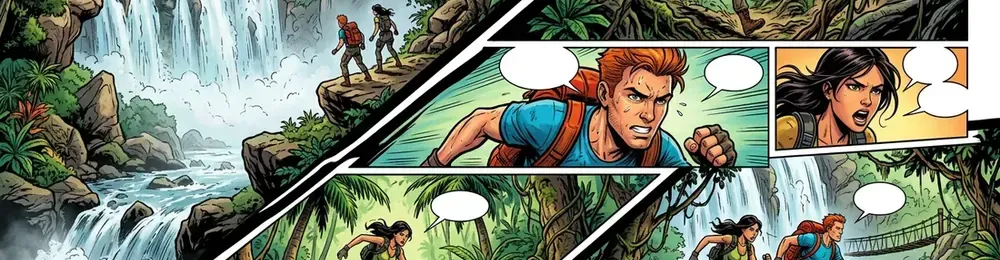
Characters stay consistent
A character's look is drawn once and reused in every frame they appear in — face and costume do not drift from scene to scene.
Frames, bubbles, pages
A scene becomes a frame from a description, bubbles of six shapes go on top, frames are laid out into sheets.
Publishing and export
A finished work goes to the catalog with its cover, reads in the online reader and exports as a CBZ archive or a single-file offline reader.
07 — Studio
Comic & Manga Studio
A dedicated space for stories: characters with a consistent look, frames from descriptions, speech bubbles and finished pages. Work builds top-down — from characters to chapters, scenes and sheets.
More about the studio
Your own lyrics by blocks
Write the words yourself in [Intro], [Verse], [Chorus] blocks — or give a one-line topic and let the AI write the lyrics.
Public feed
The best tracks are published to the shared feed: other users listen to them, and each track gets its own page.
Credits for publishing
If the moderators approve your track for the feed, you get 5 credits — music generation partly pays for itself.
08 — Music
Music Generation
A full song from one topic: lyrics, music and vocals in about a minute and a half. 30+ ready-made genres — from phonk to synthwave.
Listen to the public feed09 — Gallery
Gallery & History
All your generations are saved automatically.
Generation History
All created images and videos are available in your history. Return to any generation anytime.
Publish to Gallery
Share your best work in the public gallery. Other users will be able to see your generations.
Download & Favorites
Download pictures as JPG or PNG — you choose the format when downloading — and add your best work to favorites.
10 — Credits
Credits & Payment
One currency for every tool. No subscription — pay only for what you generate.
Welcome credits
Registration is free, and new users receive credits for their first generations.
Price shown upfront
The launch cost is shown on the button before you click and depends on the model and parameters.
Pay for results
Credits are charged only for successful generations. If the model returns an error, credits go back to your balance.
Bonuses for publishing
A track the moderators approve for the shared feed adds 5 credits to your balance.
Why limko
Why Limko
Key advantages of the platform for content generation.
30+ AI models
The same catalog as the Models page: images, video, music, speech, upscale, vectorize and background removal — unified credit billing.
No Subscription
Pay only for results. No monthly fees or hidden charges.
Multilingual
Interface and prompts in Russian, English, Kazakh and Uzbek.
Fast Results
From prompt to finished image — seconds. Video — up to a minute.
Commercial Use
Generation results can be used in commercial projects.
Toolkit
Upscale, background removal, stickers — everything for a complete image workflow.
FAQ
FAQ
Answers to popular questions about the platform.
Is registration free?
How does the credit system work?
Can I write prompts in my language?
What models are available?
Can I use results commercially?
How to increase image quality?
Are my generations saved?
What is the comic studio?
How to get free credits?
Ready to try?
Free to register — create your first image in a minute with welcome credits.