
ID Photo
ID photo online — in 30 seconds
Upload a selfie, pick a document — passport, Schengen or US visa — and AI frames the shot on a white background. Download exactly 35×45 mm at 300 DPI or a ready 10×15 print sheet.
Real examples
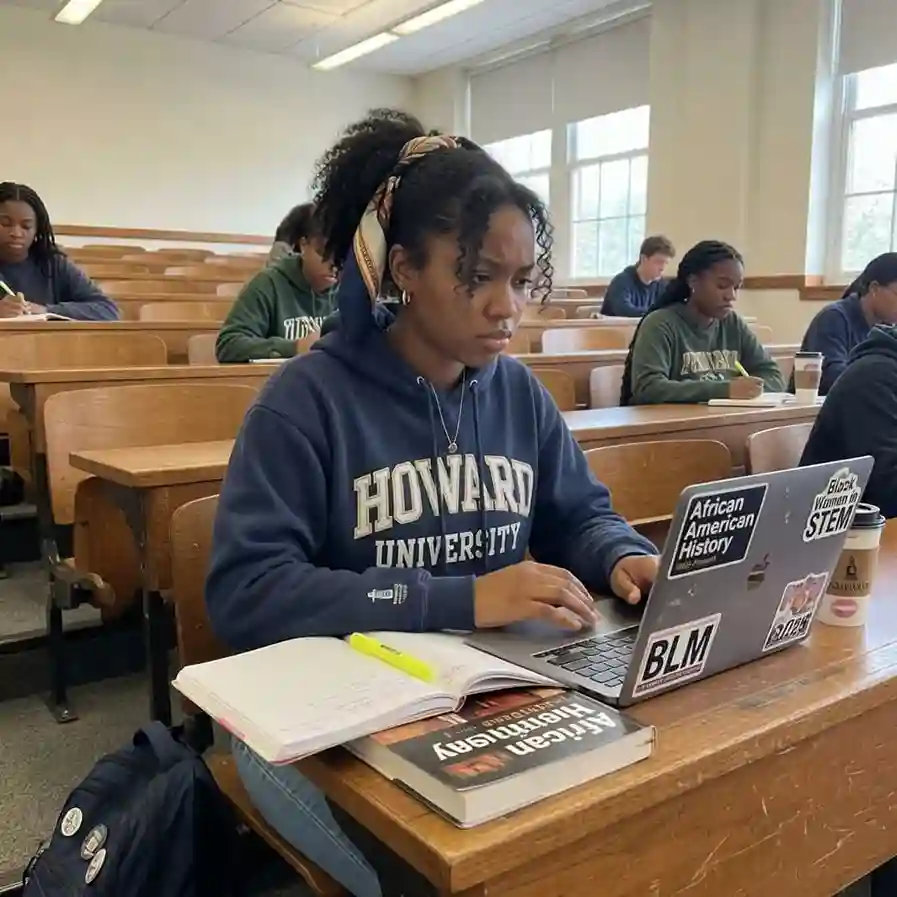
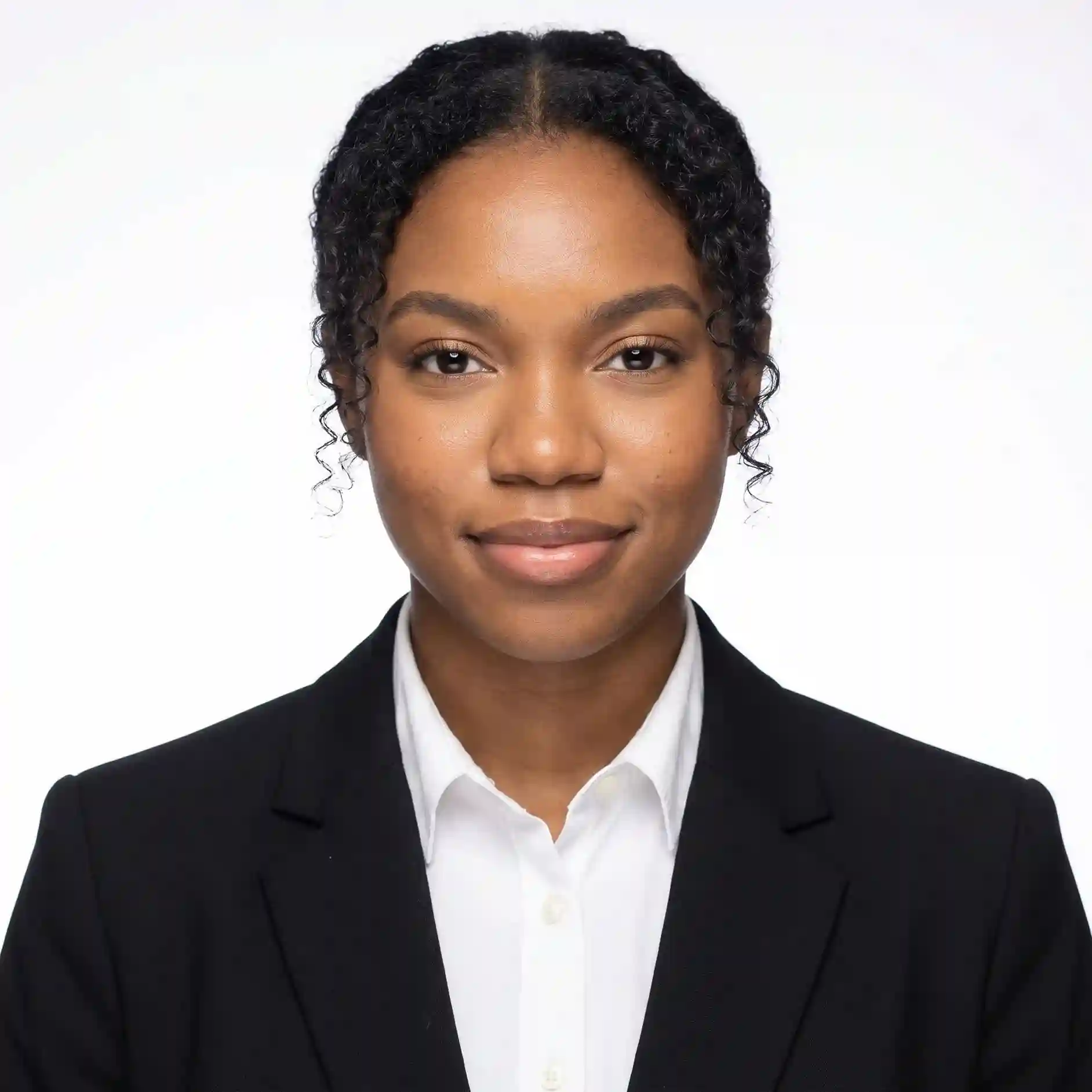
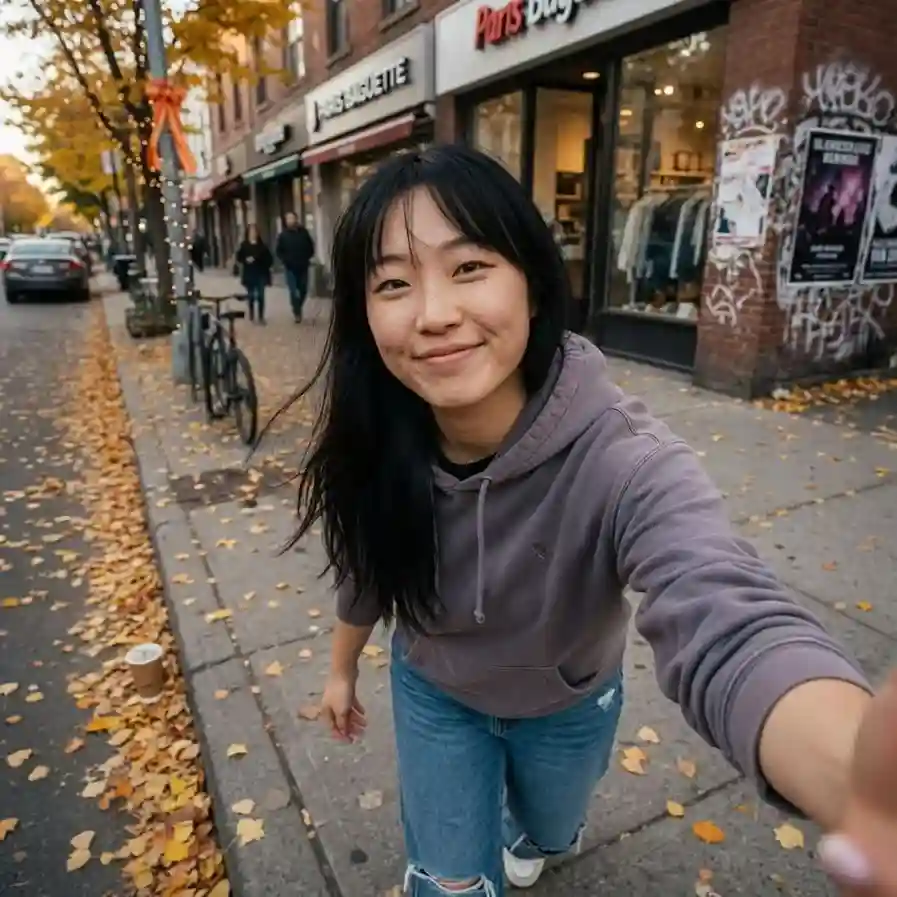
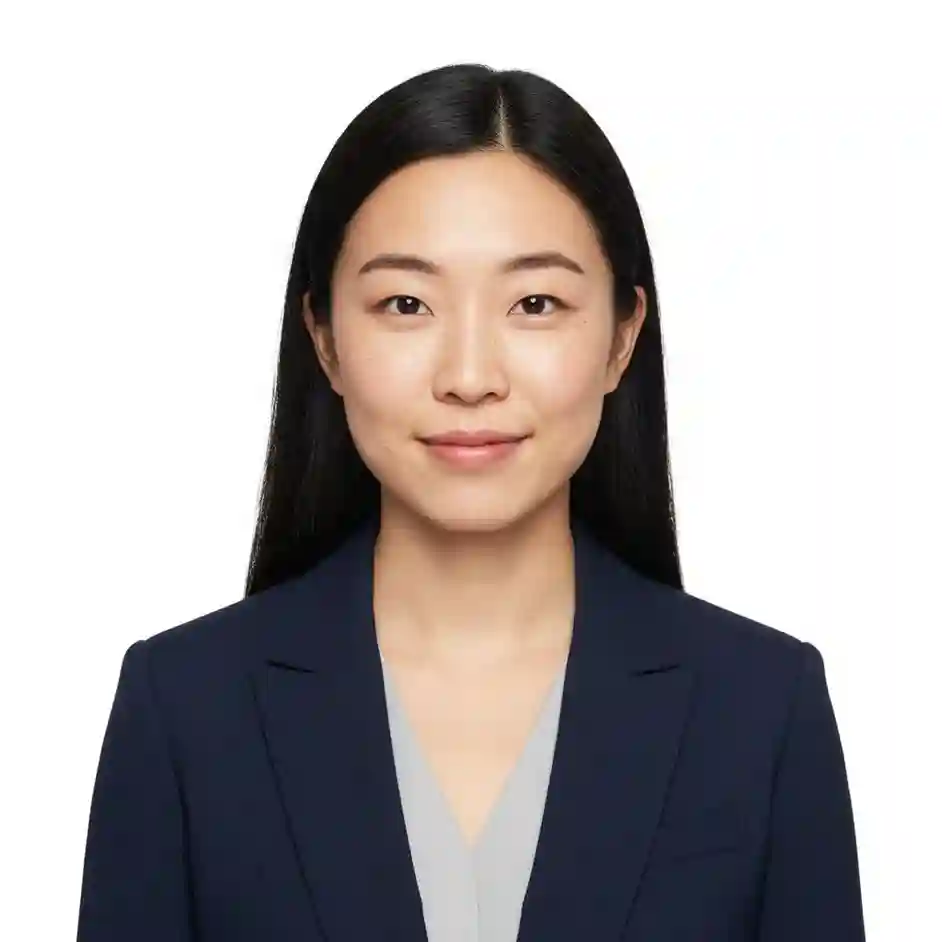
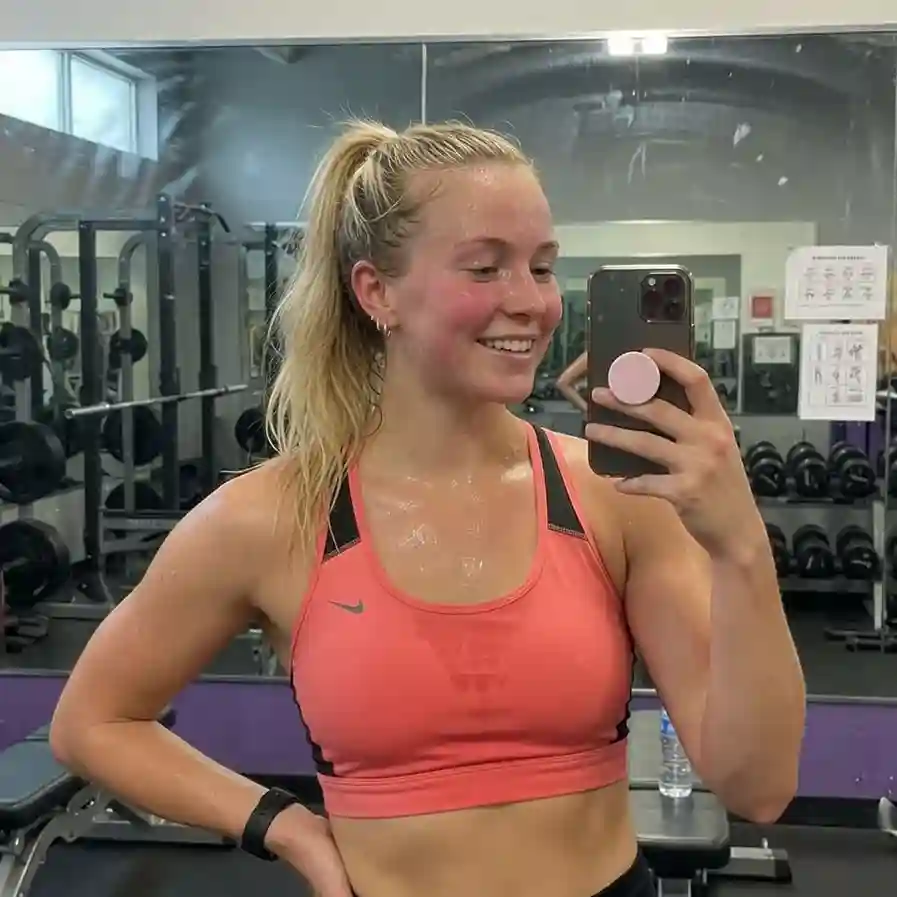
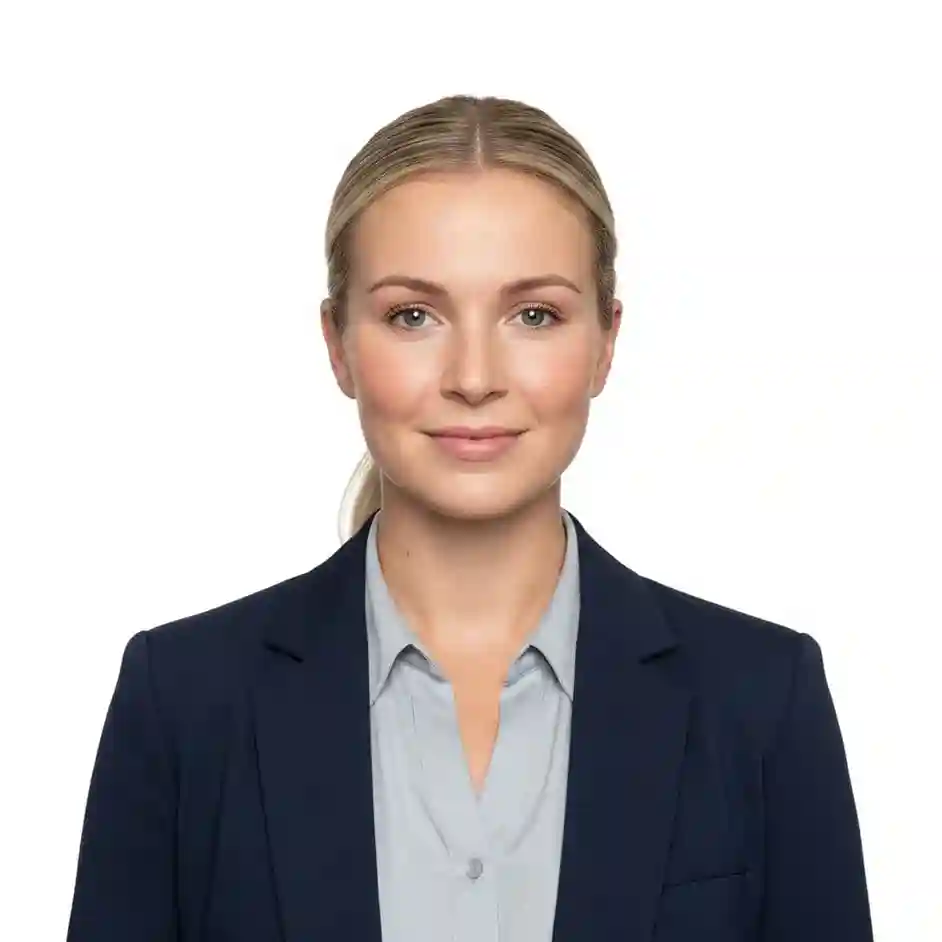
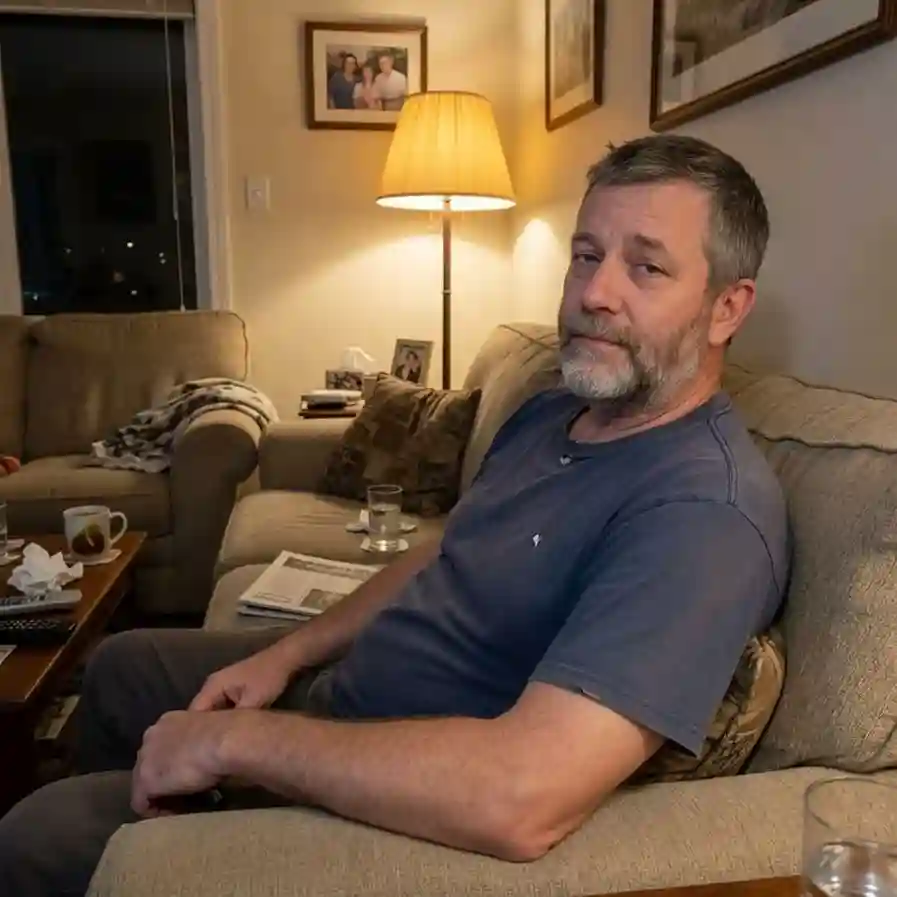
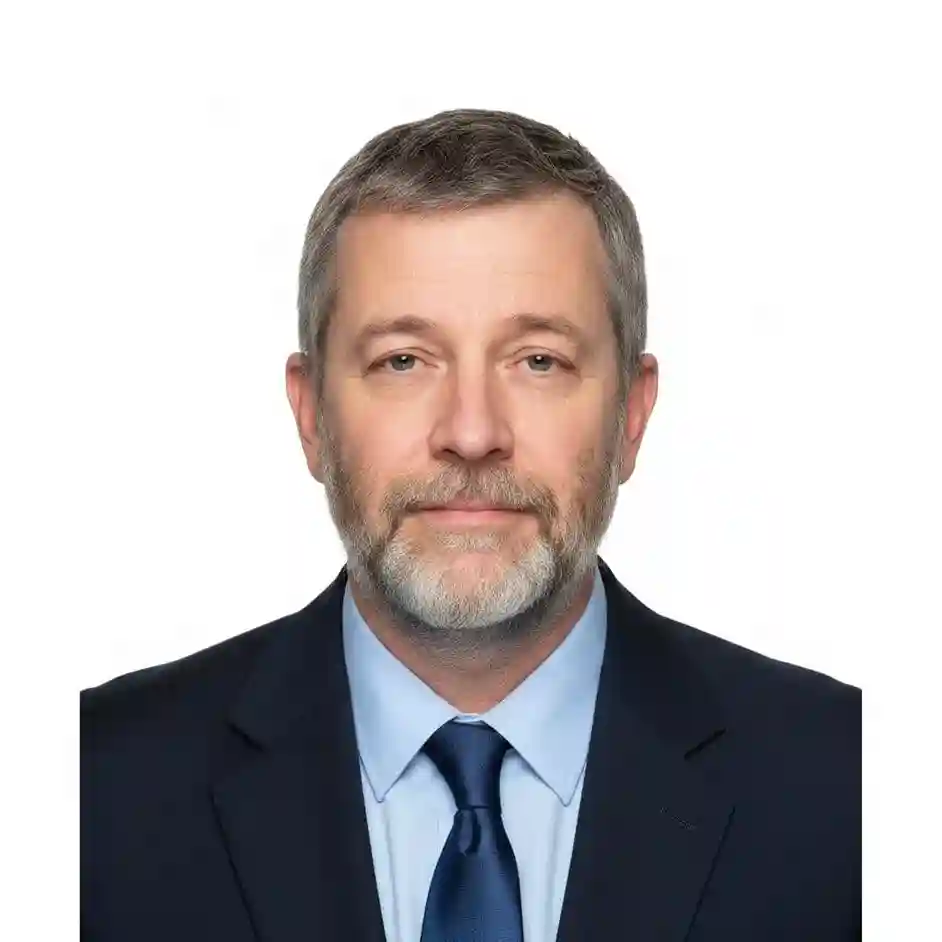
Examples: selfie → ID photo
Left: original photo. Right: document-ready output. Each pair is the same shot before and after processing.
Formats
Available formats
Aspect ratios as in the tool: pick one in the app and the AI will frame your ID photo or export for socials.
Russian passport
Intl. passport
Schengen visa
US visa
ID card
Инструкция
Как сделать фото на паспорт онлайн бесплатно с белым фоном
Три шага в Limko: без фотосалона, без скачивания программ, без подписки. Новым пользователям — 5 приветственных кредитов после входа через соцсети, этого хватает на 3 фото на паспорт.
-
1. Загрузите селфи
Откройте инструмент «Фото на документы» и загрузите обычное фронтальное селфи с телефона. Без головных уборов и тёмных очков, лицо хорошо видно — этого достаточно.
-
2. Нейросеть обработает
ИИ автоматически уберёт фон, поставит белый, выровняет освещение и подберёт деловой образ. Сохраняет черты лица. Обработка занимает около 30 секунд.
-
3. Скачайте фото на паспорт
Кнопка «Для печати» отдаёт файл ровно 35×45, 30×40 или 50×50 мм с 300 DPI — или лист 10×15 / A4 с раскладкой копий и линиями реза для печати в салоне. Одна генерация — пара кредитов, приветственного бонуса хватает на 3 фото.
Нейросеть
Фото на паспорт через нейросеть — что умеет ИИ
Сделать фото на паспорт через нейросеть в Limko — значит получить кадр, как из фотостудии, прямо из обычного селфи. ИИ берёт на себя то, что в фотосалоне делает свет, фон и ретушёр.
Заменяет фон на белый
Нейросеть отделяет силуэт и подставляет ровный белый фон без теней и переходов. Цвет под нормативы документов.
Выравнивает свет
ИИ убирает резкие тени с лица, выравнивает экспозицию. Цвет кожи остаётся естественным, без «глянцевого» эффекта.
Сохраняет внешность
Нейросеть бережно работает с лицом — узнаваемые черты остаются. Это не генерация нового человека, а обработка вашего фото.
Кадрирует под документ
ИИ подгоняет размер и положение головы в кадре под формат паспорта РФ, Шенгена, визы США и других документов.
Требования
Размер фото на паспорт РФ — 35×45 мм и другие требования
По данным МВД, фото на паспорт РФ должно быть 35×45 мм, на белом фоне, с открытым лицом и нейтральным выражением. Нейросеть в АИ Креатор подгоняет кадр под эти требования автоматически.
-
Размер 35×45 мм
Стандарт для паспорта РФ. Голова занимает 70-80% высоты кадра, до макушки 5 мм свободного поля сверху.
-
Белый или светло-серый фон
Без узоров, теней и градиентов. Нейросеть автоматически заменяет фон на однотонный.
-
Лицо анфас
Прямой взгляд в камеру, голова не наклонена. Глаза открыты, рот закрыт, нейтральное выражение.
-
Без головных уборов и тёмных очков
Лицо полностью открыто. Очки для постоянного ношения допустимы, если не бликуют и не скрывают глаза.
-
Подходит и для других документов
Шенген (35×45), виза США (51×51 мм / 2×2 дюйма), КНР, водительские права, резюме — нейросеть подскажет нужный формат.
Перед подачей рекомендуем сверить готовое фото с актуальными требованиями вашего ведомства — параметры периодически уточняются.
ID photo — without a photo studio
AI evens out the light, applies a white background, neat appearance and a calm expression. Ready for documents and resumes.
Clean white background
We automatically remove the background and place a flat white one — like in a photo studio. No shadows or artifacts.
Studio light
We even out the lighting and remove harsh shadows on the face and from clothing. Skin tone stays natural.
Business look
Neat clothes, tidy hair, calm and confident expression — fits passport, visa and resume.
Keeps your appearance
AI handles the face carefully: you stay yourself, without over-glossy or unnaturally smooth skin.
Visa and passport ready
Aspect ratio, sharpness and background match requirements of most documents: Russian passport, Schengen, US/China visas.
In 30 seconds
No more trips to a photo studio. Upload a selfie — get the photo, download and submit your documents.
Passport photo requirements: what actually gets checked
The rules look long, but photos get rejected for the same few reasons. First — geometry: 35×45 mm, the head takes 70–80% of the frame height, about 5 mm of clear space above the head, eyes looking straight into the camera. Second — the background: plain white or light gray, no shadows behind the shoulders. Third — the face itself: neutral expression, mouth closed, eyes open, no headwear or tinted glasses.
Government portals add a technical layer: they expect a JPEG with 300 DPI metadata, which is exactly where phone photos usually fail — the picture is fine, the metadata is not. Our tool fixes this at download time: the "For print" button produces a file of exactly 35×45 mm (413×531 px) with 300 DPI written into the header.
A practical tip: take the source selfie in daylight facing a window, hold the phone at eye level and skip the front flash. Everything else — background, light, clothing and framing — the AI corrects automatically.
Schengen vs US visa photo: the difference and common rejections
A Schengen visa uses the same 35×45 mm format as most European documents but checks it strictly: the face must fill 70–80% of the frame, both eyes clearly visible, expression strictly neutral. The usual rejection reasons are a shadow on the background, a tilted head and harsh vacation-style lighting.
The US visa is a different standard: a 2×2 inch square, and the DS-160 online form wants a 600×600 px file. The head should take 50–69% of the frame height — noticeably less than in European formats, so a Schengen-framed photo will not pass. Since 2016 the US also rejects photos with glasses of any kind.
Both cases are covered by presets: pick "Schengen visa" or "US visa" before generating — the AI frames the head accordingly, and on download the 50×50 format gives you exactly 600×600 px for the DS-160. One selfie — a full set for every document, including a 10×15 print sheet.
FAQ
Frequently asked questions
Answers to common questions about ID photo in limko.
Will the photo work for a Russian passport?
Can I use it for Schengen and US visas?
What kind of selfie should I upload?
Can I pick clothes and background?
How much does it cost?
Is it safe to upload my photo?
What size and DPI is the final file?
Can I print the photo at a print shop?
Can I use it for LinkedIn and resume?
ID photo online — in 30 seconds
Upload a selfie, pick a document — passport, Schengen or US visa — and AI frames the shot on a white background. Download exactly 35×45 mm at 300 DPI or a ready 10×15 print sheet.